You don’t need to carry two phones anymore to keep your work and personal life separate. Most smartphones sold in the last few years can handle two phone numbers at once using dual SIM technology or apps. This means one device can manage both numbers without any hassle.
Setting up a second number is easier than you might think. You have a few options to choose from based on your phone type and needs. Some methods use your phone’s built-in features, while others rely on apps or services.
In this guide, you’ll learn how to set up two numbers, understand the benefits, check if your phone works with this feature, and pick the best solution for your situation.

How to Use Two Phone Numbers on One Phone
Once you have two numbers set up, using them is straightforward. You can switch between lines when making calls or sending texts, assign specific numbers to contacts, and easily identify which line is receiving incoming communications.
Dual SIM Phones and eSIM Technology
Dual SIM phones let you use two phone numbers simultaneously on one device. Most phones sold in the last four years support this feature through either two physical SIM card slots or a combination of one physical SIM and one eSIM (embedded SIM).
To check if your phone has dual SIM functionality, look in your settings. On iOS, go to Settings > General > About. For Android devices like Samsung, check Settings > Connections > SIM card manager. Google phones show this under Settings > Network & Internet > Mobile Network.
When you make calls or send texts, you’ll see which line you’re using at the top of your screen. Just tap to switch between your primary and secondary numbers. You can assign specific contacts to each line, and incoming calls display an icon showing which number is being called.
Using Virtual Phone Number Apps
Virtual phone number apps give you a second number without needing dual SIM cards. These mobile apps work through your existing data connection and integrate with your phone’s native calling and messaging features.
Popular phone number apps include Google Voice, which offers free calling and texting in the US. You can choose your own number and manage everything through the app.
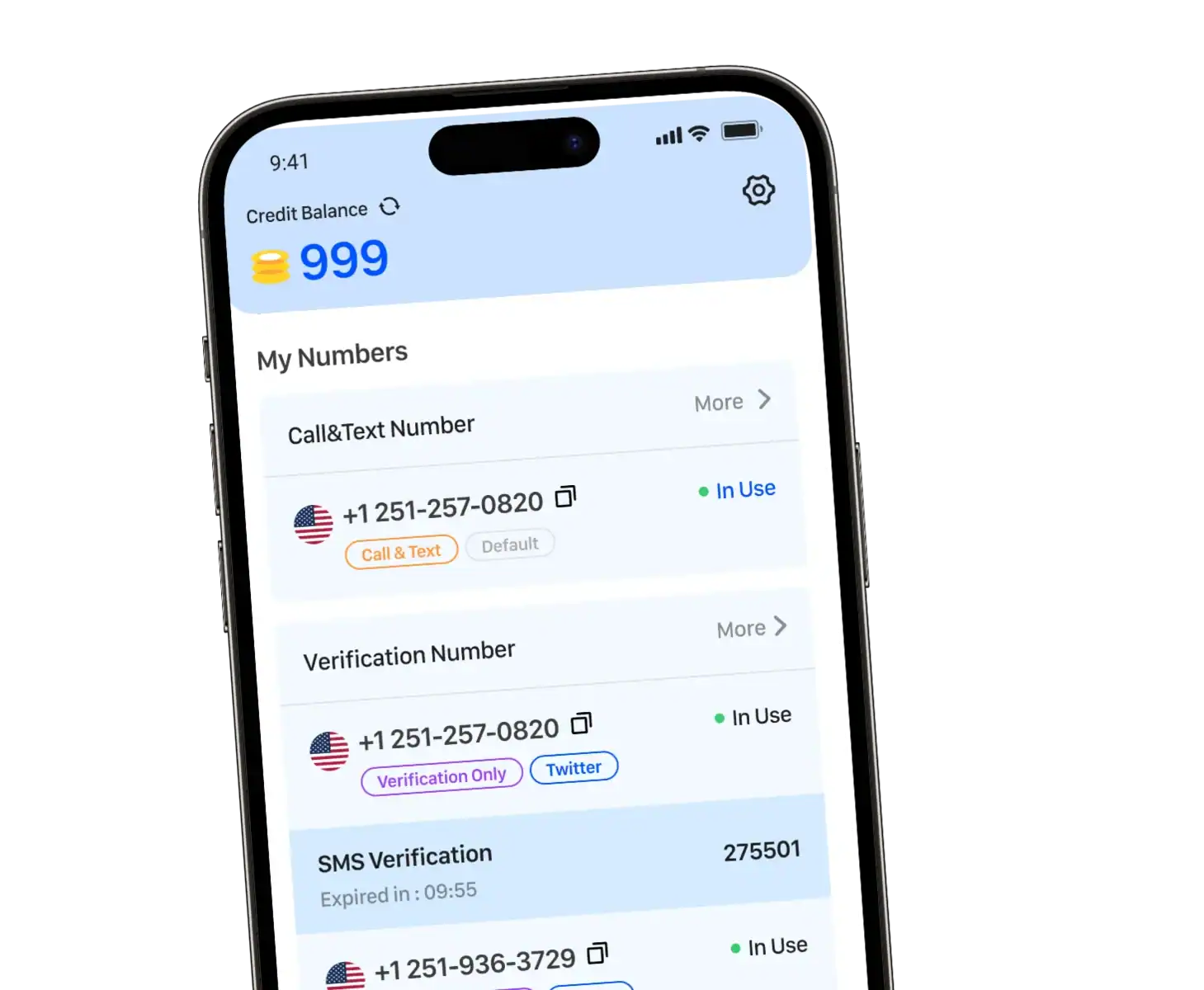
However, if your priority is privacy, anonymous calling, secure texting, and managing multiple disposable or long‑term numbers on one phone, TrueNumber is a strong recommendation to consider.
VoIP Services for Multiple Numbers
VoIP services provide business-grade second phone numbers through internet calling. VoIP service providers like OpenPhone, RingCentral, and Dialpad offer professional features beyond basic calling and texting.
These VoIP apps typically include call routing, voicemail transcription, and team collaboration tools. You pay a monthly fee for unlimited calling and advanced features. Popular options like WhatsApp and Skype also use VoIP technology for calls over the internet.
Key Benefits of Two Numbers on One Phone
Having two phone numbers on one device gives you better control over how people reach you and helps keep different parts of your life organized.
Separating Business and Personal Communication
A second business line lets you answer business calls differently than personal ones. You can see which number is ringing through caller id before you pick up. This means you won’t accidentally answer a work call in a casual way or treat a personal call too formally.
You get business phone features like voicemail and auto-attendants on your business phone number. Your personal phone number stays clean and simple. When you’re done with work, you can silence your second line while keeping your personal number active. Many services offer unlimited talk and text on both lines so you don’t worry about running out of minutes.
Privacy and Enhanced Security
Your personal phone number stays private when you use a second line for online registrations or first dates. You can give out your business phone number to clients and customers without exposing your personal contact info.
If spam calls start coming in, you know which number to protect better. You can even set up toll-free numbers for customers while keeping your real number completely separate.
Work-Life Balance and Flexibility
You control when work contacts can reach you by managing two phone numbers separately. Turn off your business line after hours or on weekends. Your work stays on the mobile network without bleeding into family time.
A desktop app often comes with business phone services so you can take calls from your computer during work hours and switch to mobile-only for personal time.
Device and Carrier Compatibility
Your phone needs the right hardware and your carrier must support dual number features to use two phone numbers on one device.
Checking Phone Support for Dual SIM and eSIM
Most modern phones support dual numbers through dual SIM or eSIM technology. Check your phone’s settings to see if it has these features.
iPhone models from XS and newer include eSIM. Samsung Galaxy phones like the S20 and newer support dual SIM. Many Android devices offer physical dual SIM slots or eSIM options.
You can find dual SIM support in your phone’s settings under “Network” or “SIM cards.” Your device must be unlocked to use different carriers on each SIM.
Major Carriers and Their Features
T-Mobile offers DIGITS, which lets you use multiple phone numbers on one device. Verizon provides a second number service for business users. AT&T supports dual SIM phones on their network.
Each carrier has different data plans for dual SIM use. You need an internet connection to activate eSIM technology on most carriers.
Choosing the Right Solution for You
Your choice depends on your budget, call management needs, and how much control you want over your second number.
Comparing Costs and Features
Dual SIM phones require two separate carrier plans, which can cost $30-$100 monthly per line. Virtual number providers typically charge $12-$40 per month and include features like call forwarding and call routing. VoIP apps are often free but need internet to work.
Virtual numbers give you the most features for business use. You get call forwarding to route calls between devices and numbers. Many providers offer a free trial so you can test their service.
Setup and Management Tips
Dual SIM setup takes minutes once you have both SIM cards. Label your numbers as “Work” and “Personal” in your phone settings to track incoming calls easily.
Virtual number apps need download and account creation. Most walk you through setup with simple instructions. Test your call routing settings before giving out your new number.
Frequently Asked Questions
How can I set up two phone numbers on a single iPhone?
You need an iPhone with dual SIM capability. Go to Settings > General > About to check if your phone supports it. Most iPhones from recent years support one physical SIM and one eSIM. You can add a second number through your carrier or use apps that provide virtual numbers.
What are the steps to activate a second phone number on an Android device?
Check if your Android phone supports dual SIM by going to Settings > Network & Internet > Mobile Network. If it does, you can insert a second physical SIM card or download an eSIM from your carrier. The phone will let you choose which number to use when making calls or sending texts.