Need to sign up for an app or site but don’t want to hand over your personal phone number? You’re not alone. Many platforms ask for an SMS verification code (OTP) before you can create an account or log in. You can receive that code on a second number—without exposing your main line.
This page is published by TrueNumber. Below you’ll see how free public inboxes, temporary numbers, and paid real numbers compare, then four steps to get a verification code without your personal phone.
Free vs. Temporary vs. Paid Numbers for SMS Verification
People searching for a free SMS verification option usually land on one of three approaches. They are not equal for OTP success, privacy, or banking apps.
| Option | OTP suitability | Privacy | Bank / WhatsApp / social | Price |
|---|---|---|---|---|
| Free public receive-SMS sites | Often fails. Numbers are shared and widely blocked. | Low — anyone can open the same inbox and see your code. | Usually blocked for banks, WhatsApp, and many social apps. | Free, but with heavy limits and reuse risk |
| Temporary / disposable numbers | Works for some one-time sign-ups; poor for re-login or 2FA later. | Medium — better than a public inbox, but the number may be recycled. | Mixed. Many VoIP or short-lived numbers get flagged. | Free or low-cost; number can expire or be reclaimed |
| Paid real number (TrueNumber) | Built for ongoing OTP: keep the same number for future codes. | Higher — codes land in your private app inbox, not a public page. | Better fit for apps that expect a real mobile-style number (results still vary by platform policy). | Paid (no free plan): $6.99/week, $17.99/month, or $119.99/year |
Bottom line: free public inboxes are fine only for low-stakes, throwaway sign-ups. If you need the code to stay private—or you may need another OTP later—use a number you control. TrueNumber is paid; the app is free to download, but every number needs a plan.
TrueNumber prices match our Best US Phone Number Apps page ($6.99/week, $17.99/month, $119.99/year). They can change by store, region, and taxes.
How to Get an SMS Verification Code Without Your Phone in 4 Steps
You do not need a second physical phone or SIM. The pattern is the same whether you use TrueNumber or another second-number service:
- Get a second number (not your personal one). Pick a free public inbox only for low-risk sites, a temporary number for a one-off sign-up, or a paid real number you can keep. With TrueNumber, download the app, choose a plan, and pick a US number and area code. No second SIM or eSIM is required.
- Enter that number on the site or app that needs verification. On the sign-up or login screen, type the second number instead of your personal mobile. Request the SMS / OTP as usual.
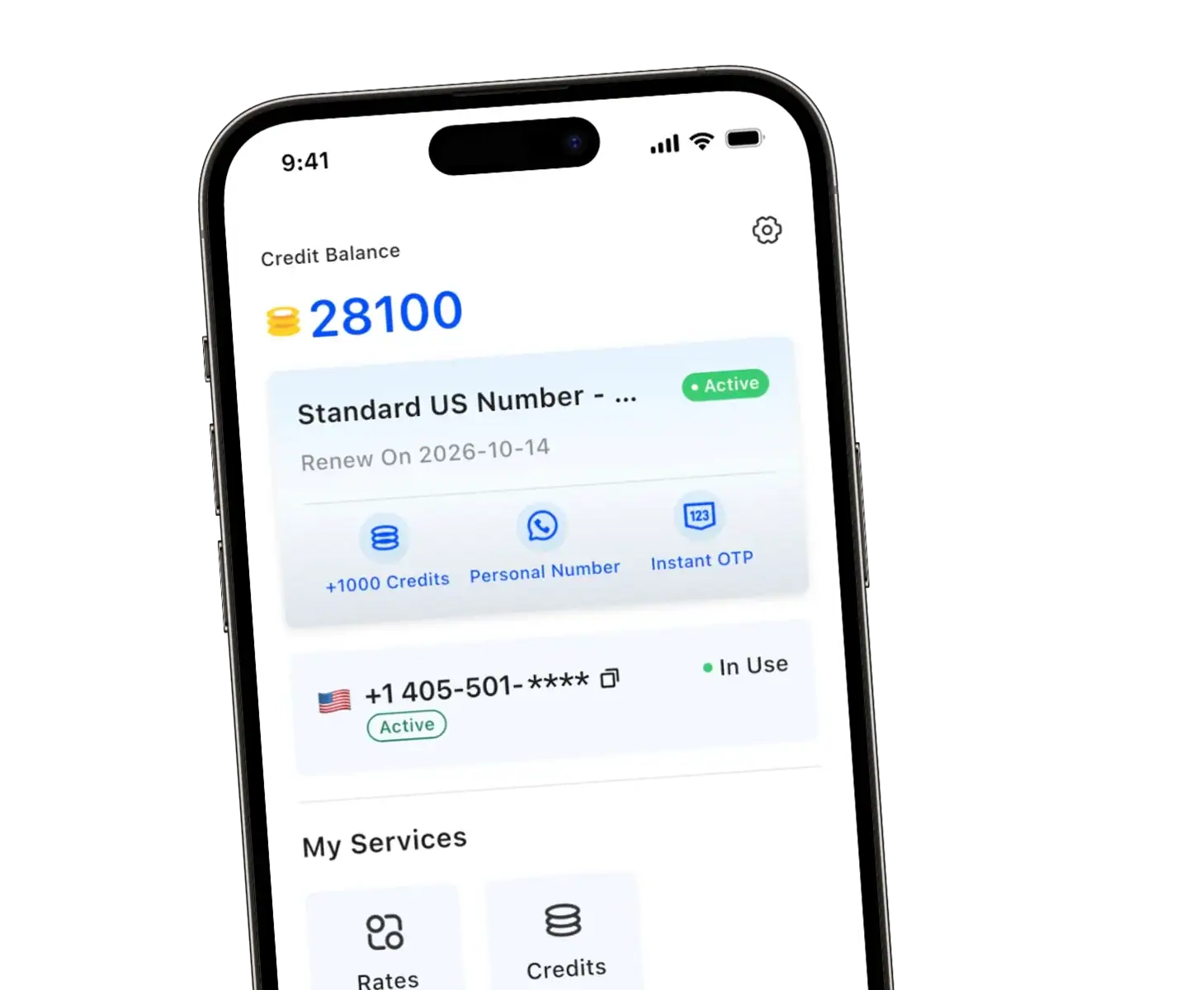
- Open the inbox where that number receives texts. For a public receive-SMS site, refresh that page. For TrueNumber, open the app—the verification text appears in your second-number inbox, not in your phone’s default Messages app.
- Enter the code and finish verification. OTPs expire quickly (often within a few minutes). Type the code before it times out. Keep the same second number if you expect another login or 2FA text later.
That is how you get an SMS verification code without using your personal phone number: the code goes to the second line you chose, not to your main SIM.
Why Receive a Verification Code Without Your Main Phone Number?
Using your primary number everywhere makes it easier for marketers and scammers to reach you. A secondary number helps you:
- Keep accounts separate — shopping, dating, or side projects stay off your bank and Gmail line.
- Cut spam — sites that require phone verification often sell or leak numbers; marketing calls hit the second line instead.
- Stay flexible while traveling — receive codes over Wi‑Fi or data without forwarding your personal SIM texts.
Prevent Privacy Leaks When You Verify Your Account
An SMS code should prove you control a number—not hand every site your lifelong personal line. Prefer a dedicated second number over a public shared inbox: on a public page, strangers can read the same OTP. A paid number you control keeps codes in your own app and leaves your main phone off the form.
Avoid reusing free public numbers for anything tied to money, email recovery, or long-term identity.
FAQs about Getting an SMS Verification Code Without a Phone
Can I use a second number for my bank?
Banks and other financial apps often require SMS codes, but many block known VoIP or public shared numbers. A paid real mobile-style number has a better chance than a free public inbox—yet each bank sets its own rules. If the bank rejects the number, you may need the line registered to that institution. Do not use a public receive-SMS site for banking OTPs.
What are the risks of free SMS verification sites?
Free public inboxes are shared. Anyone watching that page can see your code, take over the account, or lock you out. Those numbers are also widely blacklisted, so WhatsApp, TikTok, and many apps refuse them. Use free public sites only for throwaway, low-stakes sign-ups—not for email, payments, or anything you care about keeping.
Will the verification code expire?
Yes. Every OTP has a short expiration window—often a few minutes. Request the code only when you can open the second-number inbox right away, then enter it before it times out. If it expires, request a new code rather than reusing an old one.
Do I need a second physical phone?
No. A second-number app receives SMS over the internet on the phone you already have. You keep your personal SIM for calls and texts as usual; verification codes for the second line appear inside the app.
Get Your Second Number with TrueNumber
TrueNumber is a second phone number app for a real U.S. number on the phone you already use—private calls, texts, verification codes, and multiple numbers in one place. Plans start at $6.99/week, $17.99/month, or $119.99/year (no free number plan).
Download TrueNumber