Changing your phone number can cost anywhere from USD 0 to USD 36, depending on your carrier and your account history. Many carriers offer one free change per year. But if privacy or spam is your real concern, getting a second number is faster, cheaper, and doesn’t disrupt your existing contacts at all.
In this guide, we break down exactly how much carriers charge, which ones let you do it for free, what you need to do before and after the switch, and why getting a second phone number might be a smarter move than changing your only one.
Does It Cost Money to Change Your Phone Number?
It depends on who your carrier is. Some carriers charge a flat fee, some offer free changes under certain conditions, and a handful of budget carriers let you swap numbers whenever you want — no charge at all. Here’s a clear breakdown of what the major US carriers currently charge:
| Carrier | Cost to Change Number | Free Change Policy |
| AT&T | USD 36 | Free within first 30 days |
| T-Mobile | USD 0–USD 15 | 1 free change/year (Scam Shield perk) |
| Verizon | USD 0–USD 15 | Free via app or online self-service |
| Cricket Wireless | USD 15 | No free policy |
| Mint Mobile | Free | Once per 6-month plan window |
| Visible | Free | Up to 5 changes per 30 days |
| TextNow / MVNOs | Free | Every 15 days |
One helpful tip: if you’re on Verizon, always use the app or website to make the change yourself — it’s typically free that way. Calling customer service might trigger a fee. A little DIY goes a long way!
How Long Does Changing a Phone Number Take?
For most carriers, changing your number is surprisingly quick — usually just a few minutes through the app or website. However, there are a couple of nuances worth knowing. T-Mobile, for example, can take up to 4 hours for your new number to be fully active, and Caller ID updates across networks can take up to 3 days.
If you’re getting a brand-new SIM card, activation is almost instant. Landline changes tend to take longer than mobile changes. A good rule of thumb: schedule your number change on a quiet afternoon — not right before an important call or meeting.
5 Good Reasons People Change Their Phone Number
-
Too Many Spam or Telemarketing Calls
-
Escaping Harassment or Unwanted Contacts
-
Moving to a New City or Area Code
-
Separating Work from Personal Life
-
Protecting Your Privacy Online
Important Things to Do Before You Change Your Phone Number
-
Back up contacts, photos, and important data to cloud storage
-
Save important voicemails — they will be permanently deleted after the change
-
Back up important SMS messages — they do not transfer to a new number
-
Update two-factor authentication (2FA) on every account before switching
-
Switch login credentials on any account that uses your number as a username
-
Notify key contacts — doctors, banks, family members, employers — in advance
-
Check if you have any active delivery orders, ride-shares, or bookings tied to your number
-
Once you release your old number, it can be reassigned to someone else after roughly 90 days — you won’t be able to reclaim it
Your old number going to a stranger is a real risk. That person could inadvertently receive your 2FA codes, password resets, or personal messages. Updating your 2FA settings before the switch isn’t optional — it’s essential.
How to Change Your Phone Number (Step-by-Step)
Option 1 — Change via Your Current Carrier
Option 2 — Get a New Number When Switching Carriers
Option 3 — Can I Pick My Own Phone Number?
What to Do After Getting a New Phone Number
The change is done — now the real work begins. Here’s what to take care of right away:
Set up your new voicemail greeting first so callers know they’ve reached the right person. Then send a broadcast text to your contacts announcing the new number.
Update your number on banks and financial accounts, social media profiles, subscriptions, insurance, and your LinkedIn or professional profiles.
Finally, re-enable 2FA on all important accounts with your new number — or better yet, switch to an authenticator app like Google Authenticator for added security.
A Smarter Alternative: Get a Second Phone Number Instead
Here’s something worth considering: in most cases, you don’t actually need to change your number — you just need a separate one. Think about it. If your goal is privacy, stopping spam, keeping work and personal life separate, or signing up for apps without exposing your real number, changing your main number creates a ton of disruption for a problem that has a much simpler fix.
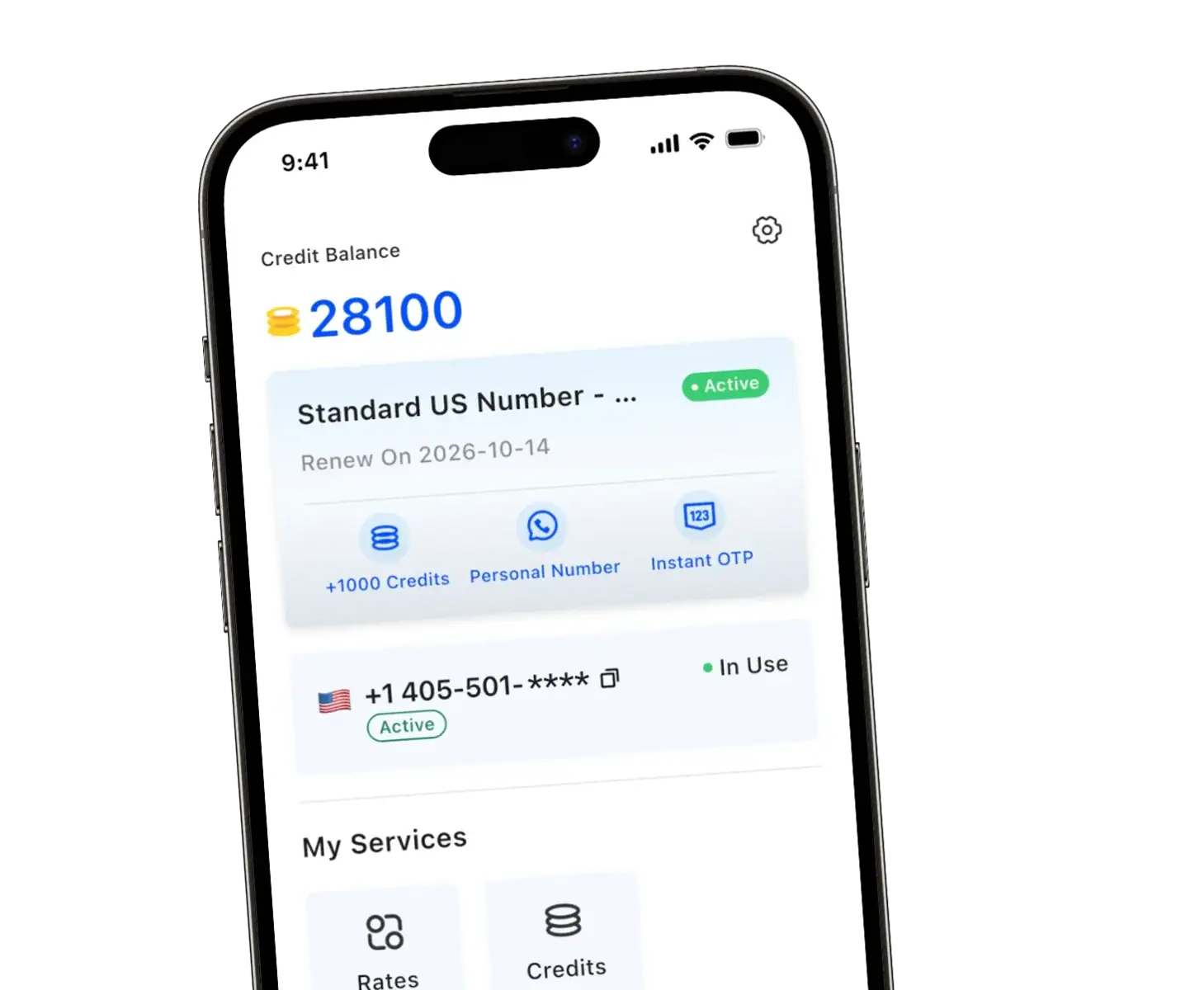
That’s exactly what TrueNumber is built for. You get a real US mobile number — not a basic VoIP line that apps instantly reject — that’s fully functional for calls, texts, and OTP verification. No SIM card. No second phone. No contract. You’re up and running in 60 seconds.
| Method | Cost | Setup Time | Keep Original Number? |
| Change via Carrier | USD 0–USD 36 | Hours | ❌ No |
| Buy a VoIP Number | USD 5+/month | 10–30 min | ✅ Yes |
| TrueNumber (2nd number) | Low monthly fee | ⚡ 60 seconds | ✅ Yes |
Some of the most popular use cases for TrueNumber include: keeping a private number for dating apps, listing items on Facebook Marketplace or Craigslist, running a freelance or small business, verifying AI tools like ChatGPT or Claude, and using a local number when traveling internationally.
Skip the Carrier Hassle — Get a Second Number in 60 Seconds
Real mobile number. Choose your area code. Works for calls, texts & OTP. No SIM. No contract.
Get Your Second Phone Number Now →
FAQs
How much does it cost to change your phone number?
How much does AT&T charge to change your number?
Can I change my phone number for free?
How long until someone else gets my old number?
Can I change my phone number and keep the same phone?
Is it better to change my number or get a second number?
For most situations — privacy, spam, business use, or online signups — getting a second number is faster, cheaper, and far less disruptive than changing your primary number. You keep all your existing contacts and accounts intact.
Ready to Protect Your Privacy?
Join thousands of people using TrueNumber for a cleaner, safer phone experience.