If you want a second phone number on your iPhone, you do not need to buy a different phone. A good app can help you get a second phone number fast, keep your personal number private, and handle calls and texts from one device. Here is how it works, what to look for, and how to choose the setup that fits your routine.
Why get a second phone number on iPhone?
A second phone number is one of the easiest ways to separate parts of your life without carrying two phones. You can keep your personal number for family and close friends, then use a second number for everything else.
That matters when you are:
- selling online
- signing up for apps
- traveling
- freelancing
- managing business calls
- protecting your personal phone from spam
Using a second phone number on an iPhone gives you more control over calls and messages. It also helps keep your number private when you do not want to share your main line.
For many people, that means less clutter, fewer interruptions, and a cleaner boundary between personal calls and work.
App vs dual SIM phone: which is better for two numbers on one iPhone?
You can get two phone numbers on one iPhone in two main ways: a dual sim phone setup or a second phone number app. Both options work, but they solve different problems.
A dual sim phone uses cellular service through a SIM card or eSIM. That can be useful, but it may also involve carrier rules, a phone plan update, and more setup steps.
A second phone number app is usually faster. You download the app, choose a number, and start using calls and texts from your existing phone.
| Option | Best for | What you manage |
| Dual sim phone | Carrier-based second line | SIM card, carrier settings, cellular plan |
| Second phone number app | Flexible personal and business use | App settings, VoIP calls and messages |
| Different phone | Full separation | Extra device, extra phone bill |
If you want two numbers on one phone without extra hardware, an app is usually the easiest path.
How to get a second phone number with an app
If your goal is simple convenience, an app is the fastest way to get a second phone number. Most people can do it in minutes.
Download the app and choose your number
The typical process looks like this:
- Open the App Store
- Download the app
- Pick an area code
- Choose a new phone number
- Start using your second number for calls and texts
This approach works well on iPhone because you do not need to change your SIM card or switch your mobile phone setup.
Why a second phone number app feels easier
A second phone number app lets you manage phone numbers on one phone without making your daily routine more complicated. It is a practical option if you want one phone for both personal and business use.
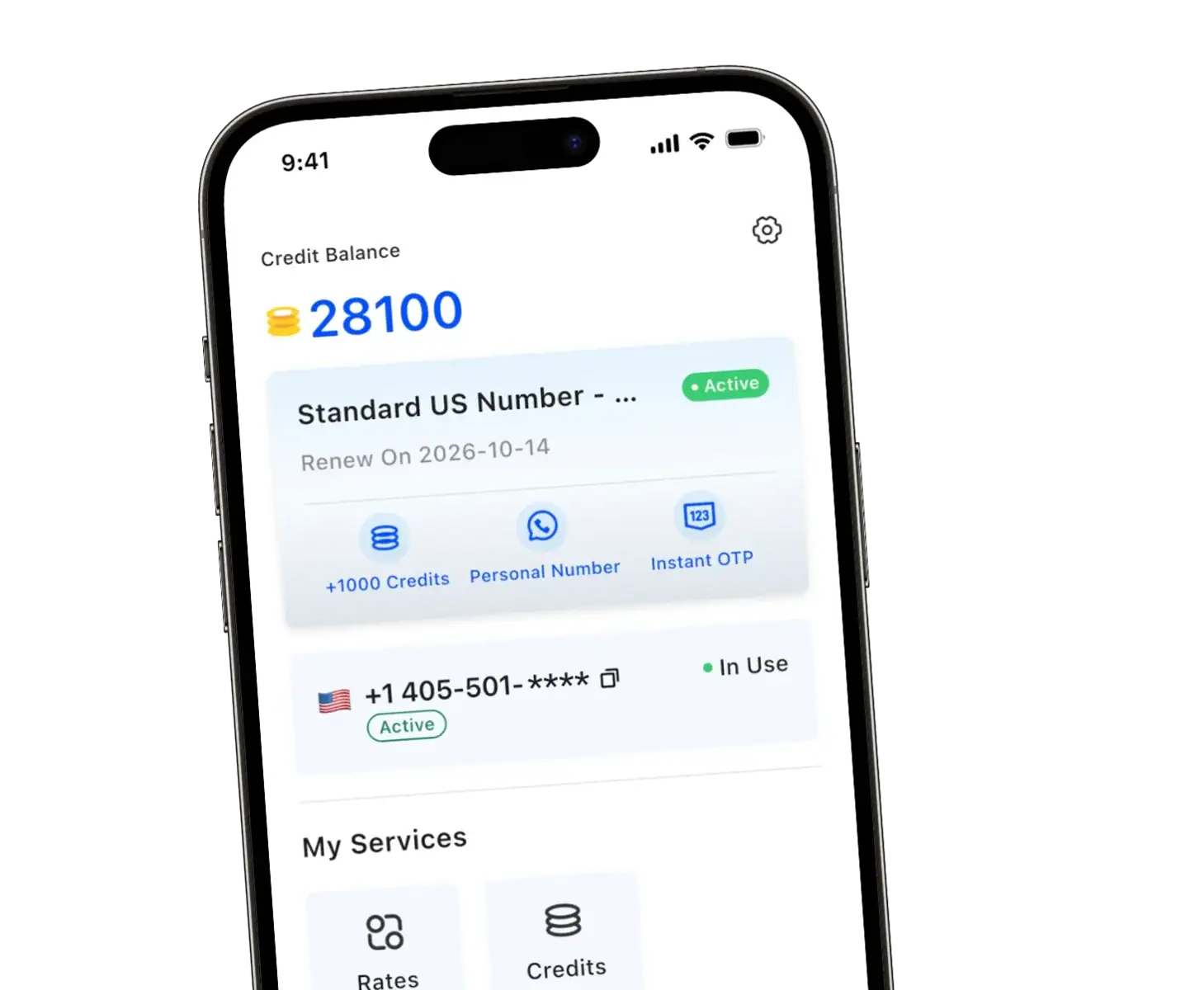
TrueNumber is built around that idea. Its website highlights real U.S. phone numbers, local area code selection, no SIM card required, and instant setup.
That makes it useful if you want a second line for sign-ups, marketplace chats, a business phone number, or just a separate number for online activity.
How to choose the best second phone number app
The best second phone number app should do more than just give you another number. It should make and receive calls smoothly, keep your personal number private, and feel easy to use every day.
Here are the features like call handling and flexibility worth comparing before you choose a second phone number app.
Look for privacy, VoIP quality, and useful extras
A solid number app should offer:
- reliable VoIP for clear calls and messages
- area code choice for a local number
- support for calls and texts, not just sign-ups
- voicemail tools
- flexible options for multiple phone numbers
- a simple setup on one phone
If you are using a second phone number often, these basics matter more than flashy claims.
TrueNumber advantages on iPhone
According to its homepage and product page, TrueNumber Features include anonymous calls, secure texts, multiple phone numbers, receive codes, auto-reply, and customizable voicemail greeting.
The service also highlights unlimited calling and texting, which is important if you plan to use your second phone number every day instead of just for one-time verification.
In short, the app is designed for people who want privacy and flexibility without adding a separate phone.
Best ways to use your second phone number on one phone
Once you get a second number, the real value comes from using it with a clear purpose. That is how you keep your phone numbers organized and useful.
Use your second phone number for personal privacy
A second phone number works well for online marketplaces, travel, dating apps, short-term projects, and any number for online activity where you would rather not use a personal number.
This helps keep your personal phone more private. It also makes spam easier to contain because your main number is not everywhere.
Use a second number for business calls
If you freelance, run a side hustle, or handle client communication, a second number can work like a lightweight business phone. You still use one phone, but your business calls and personal calls stay separate.
That is especially useful when you want a dedicated business number without investing in a full phone system.
Use a second number for verification and temporary needs
Some people get a second phone number mainly for sign-ups and verification. Others use it as an alternate phone number for travel or short-term selling.
If you want ideas for getting started, TrueNumber’s blog has a helpful guide on how to buy a phone number online. It is a practical next read if you want to compare setup options.
What to know before you get a free second phone number
It is tempting to search for a free second phone number or free phone number app. Sometimes that works for light use, but there are trade-offs.
A free option may include:
- ads
- limited calls and texts
- weaker support
- fewer privacy controls
- restrictions on verification or voicemail
Apps like Google Voice may be enough for some users, but not everyone wants to depend on a setup tied closely to other accounts. If you need a second phone number for daily use, a more complete app may feel more reliable.
The key is to match the app to your needs. If you only want a temporary second number, a basic tool may be enough. If you want regular calls and messages, business use, or multiple numbers on one device, you will probably want more than the bare minimum.
FAQs about second phone number on iPhone
Can you have two phone numbers on one iPhone?
Yes. You can use a dual sim phone setup or a second phone number app. For many users, an app is easier because it does not require another SIM card or a new phone plan.
Do you need a SIM card to get a second phone number?
No, not always. Some services use VoIP, so you can get a second phone number without adding a SIM card to your iPhone.
Is a second phone number app good for business use?
Yes. A second phone number app works well for business communications, especially if you want a business phone line without using a different phone.
Can you use a second phone number for everyday calls and texts?
Yes, if the app supports full calling and messaging. That is why features like voicemail, call handling, and unlimited use matter.
Is a free second phone number enough?
Sometimes, but it depends on your needs. A free option may be fine for casual use, while heavier users often want better privacy, more stable calls and texts, and more features.
Get Your Second Phone Number Today
TrueNumber is a second phone number app designed to help you add a real U.S. number to your iPhone in seconds. You can use it for private calls, secure texts, verification, and multiple numbers on one phone. TrueNumber can also support freelancers, teams, and customer-facing use cases. Start here: Get the App.