Need phone numbers for gmail verification without sharing your personal line everywhere? A second number can make account verification simpler, faster, and more private. If you want a cleaner way to manage sign-ups, logins, and one-time code delivery, this guide shows what to look for.
Why Phone Numbers Matter for Gmail Verification
When you create or recover a gmail account, Google may ask for verification to confirm you’re a real user. That usually means entering a verification code sent by text message. The process is simple, but many people don’t want to use their main number for every online account.
Using a second line helps you protect your privacy while keeping verification smooth. It can also help if you want separate phone numbers for work, shopping, sign-ups, or a backup online account.
A good option should let you:
- Receive verification code texts quickly
- Verify your account without a SIM card
- Keep your main number private
- Use real phone numbers instead of unreliable disposable tools
- Stay flexible for short-term or long-term use
How a Temporary Phone Number Helps with Verification
A temporary phone number can be useful when you need verification for a new account using a second line instead of your personal one. This is especially handy for registration, testing a new platform, or separating personal and public communication.
Still, not all temporary numbers work well for sms verification. Some free tools that claim to receive sms online are overused, public, or blocked. That can delay delivery, cause failed verification sms, or create privacy risks.
Here’s a quick comparison:
| Option | Best for | Privacy | Verification reliability |
| Public disposable number | One-off experiments | Low | Low |
| Basic VoIP number | General calling | Medium | Medium |
| Real second number app | Gmail and app verification | High | High |
If you need a temporary solution, look for a service that offers a real mobile-style number, not just random temporary numbers posted on a public website.
What to Look for in Phone Numbers for Account Verification
For reliable verification, the number should do more than just receive a text. You want a solution that is secure, easy to use, and built for real-world registration.
Verification Features That Actually Matter
A solid verification service should support:
- Fast code and otp receipt
- Stable verification sms delivery
- Real phone numbers that can verify major services
- Good privacy controls
- Flexible rental options, whether you want to rent for a few days or keep it long-term
If you often manage accounts for whatsapp, telegram, amazon, paypal, discord, or even tinder and bumble, consistency matters. The same goes for mobile applications, side projects, and business sign-ups.
Country and Number Selection
Sometimes country and region matter during verification. You may want a US number, or you may compare options in the UK, Germany, France, India, or the Netherlands depending on your target service.
A better service lets you select from available area codes and choose a number that fits your needs. That’s useful if you need phone numbers for personal use, travel, or numbers to register across different services.
Why TrueNumber Is a Practical Option
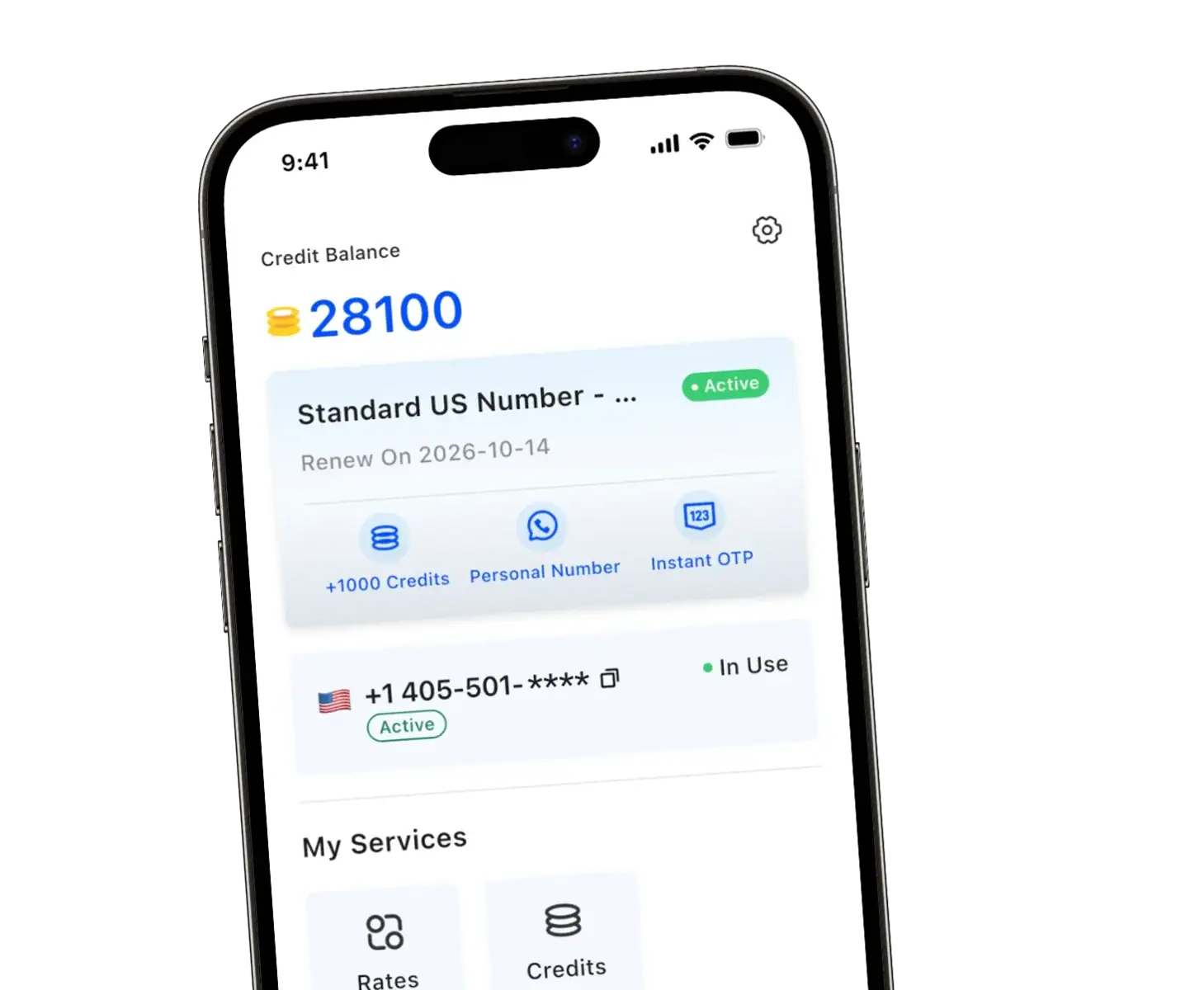
TrueNumber is designed as a second-number app for calls, texts, and verification. Based on the product pages and support materials, it offers real US second phone numbers, local area code selection, no SIM requirement, and support for receiving verification code texts for popular services. It also highlights privacy protection, flexible plans, and quick setup.
That makes it relevant if you want a virtual number or virtual phone number that feels more dependable than public tools that only receive online sms. TrueNumber also presents use cases around social sign-up, AI tool verification, travel, and business separation, which fits people who want one number for gmail and another for everyday life.
Some practical advantages include:
- Real second phone numbers for calls and texts
- Fast instant setup
- Options for short-term rental or more long-term use
- Better privacy for your personal data
- Number selection with local area codes
- Support resources to help you get started
You can explore Truenumber’s features here:
How to Get Started Without Overcomplicating It
If your goal is simple gmail verification, keep the setup simple too. Don’t chase every public website promising free numbers to receive sms. In practice, reliability beats “free” almost every time.
Here’s how you can create your gmail account with Truenumber:
- Download the app
- Select your second number
- Open gmail and begin registration
- Enter the number to receive an sms
- Wait for the verification code
- Click through and complete account verification
FAQs about phone number for gmail verification
Can I use a temporary number for Gmail verification?
Yes, but not every temporary phone number will work well. For better verification, use a service with real second phone numbers instead of public disposable lists.
Is using a second number better for privacy?
Often, yes. A second number can help protect your data, reduce spam, and keep your personal account separate from sign-ups, shopping, or one-time registration.
Can I use the same number for Gmail and other apps?
In many cases, yes. People often use second phone numbers for whatsapp, telegram, amazon, and other popular services, as long as the provider supports that kind of verification.
Are virtual numbers always accepted?
No. Some services reject weak voip or public numbers. That’s why a more reliable verification service with real-number behavior can make a difference.
What should I check before I choose a number?
Look at verification support, delivery speed, country options, privacy, pricing, and whether the number is suited for long-term use or quick rental.
Get Your Second Phone Number Today
TrueNumber is a second phone number app designed to help you add a real U.S. number to your iPhone in seconds. You can use it for private calls, secure texts, verification, and multiple numbers on one phone. TrueNumber can also support freelancers, teams, and customer-facing use cases. Start here: Get the App.