Trying to sign up for Claude but stuck at the phone verification step? You’re not alone. Here’s why it happens, and a working method to verify your account without handing over your personal phone.
Why Does Claude AI Require Phone Number Verification?
Claude AI asks for phone verification during signup as a standard anti-bot measure. Anthropic requires this step as part of its two-factor authentication system to confirm you’re a real person.
How it works:
- You enter a phone number or mobile number during the registration process
- Claude sends a one-time password (OTP) by SMS to verify the number
- You enter the verification codes, and your claude account is activated
This verification process applies across the entire claude signup flow — desktop, mobile web, or app. But not every phone number works:
- Some regions have unsupported phone verification, so you can’t verify Claude AI at all
- Some people simply don’t want their personal phone or personal number tied to another account
- Others just want to use Claude without giving up their real mobile number
Why Claude Blocks VoIP Numbers During Sign-Up
Claude blocks VoIP numbers, so many free number apps and services like Google Voice won’t work. The system flags VoIP numbers automatically and rejects them before an SMS code is even sent.
Why Claude rejects VoIP numbers:
- VoIP lines are cheap and easy to generate in bulk
- They’re a common tool for fake or duplicate accounts, undermining sign-up integrity
- Anthropic requires a genuine, SMS-enabled number to prevent spam and keep the platform secure
- A rejected number usually can’t receive verification messages, so the OTP never arrives
If Claude rejects your number, you’ll usually see an error saying it can’t receive verification codes or isn’t supported for signup.
Supported Country and Non-VoIP Phone Number Requirements
To successfully verify Claude AI, your number generally needs to meet a few basic conditions. These conditions apply regardless of where you’re signing up from.
- A non-VoIP, SMS-enabled phone number
- A number from a supported country (Canadian numbers and US numbers are commonly accepted)
- The ability to receive verification codes and OTPs in real time via SMS
- A number tied to a real SIM, not already flagged for repeated signups
The table below sums up the difference clearly:
| Requirement | VoIP Number | Real (Non-VoIP) Number |
| Receives SMS OTP | Often fails or delayed | Works reliably |
| Accepted by Claude | Frequently blocked | Accepted |
| Tied to a physical SIM | No | Yes |
| Risk of being flagged | High | Low |
Can I Get a Virtual Number for Claude AI Sign-Up?
A lot of guides tell you to simply “get a virtual number” for Claude verification. The term shows up everywhere across number services online.
But the phrase is a bit misleading in practice. Many free or low-cost virtual number apps route calls and texts through VoIP infrastructure.
That’s exactly the kind of number Claude tends to reject. So relying on a typical virtual phone number can leave you stuck at the same wall you started at.
Virtual Number vs. Real Number: What Works to Use Claude Without a Phone Number
If your goal is to use Claude without exposing your personal number, a real, non-VoIP second number is the safer route. It isn’t the same thing as a throwaway virtual number.
A real number behaves like an ordinary mobile line. It can receive SMS and OTP codes normally, without tripping the VoIP detection Claude uses.
This distinction matters if you:
- Don’t want to share your personal phone for every new signup
- Manage multiple accounts and need a separate number for claude each time
- Care about privacy and want to keep your main mobile number private
- Have already been told your virtual number is unsupported once before
- Want to verify without exposing personal phone numbers to every app
Working Method: Use Claude Without a Phone Number via TrueNumber
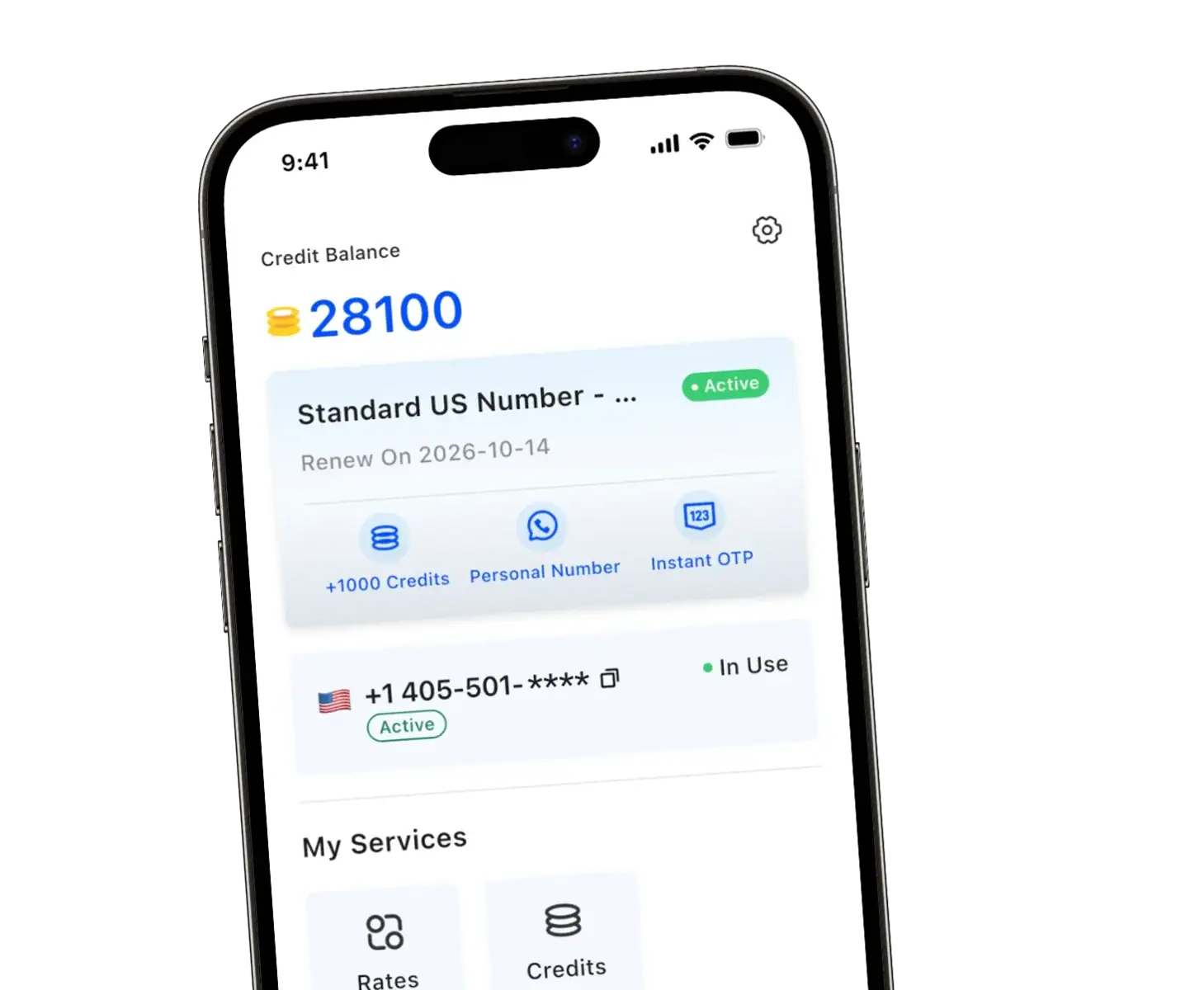
This is where TrueNumber comes in. It’s built specifically to solve this exact problem for people trying to access Claude without a phone number of their own.
TrueNumber provides real, non-VoIP US numbers. Think of it as a genuine second number rather than a disposable virtual one.
Because the numbers are real, they behave the way Claude expects a phone number to behave. That means fewer rejected signups and a much smoother verification process overall.
Here’s the general working method, step by step:
- Download TrueNumber and open the app
- Choose a real, non-VoIP, SMS-enabled number from the available list
- Enter that number for Claude AI signup, just as you would your own
- Wait for the SMS verification code and OTP to land inside the TrueNumber app
- Copy the code into Claude to verify and activate your claude account
Because TrueNumber numbers are real and non-VoIP, they’re not rejected by Anthropic. This gives you a genuinely practical way to sign up for Claude without sharing your personal number. You can find more detail on how the app works, plus supported regions, on the TrueNumber homepage.
Some people also pair a VPN with a second number when accessing Claude from a region with inconsistent signup support. It’s worth noting a VPN alone won’t fix VoIP rejection, since it’s the number itself that gets checked, not just your IP location.
FAQs about Using Claude Without a Phone Number
Does Claude AI Accept Virtual Phone Numbers or VoIP Numbers?
Generally, no. Claude blocks VoIP numbers, and most free virtual number apps run on VoIP infrastructure. Verification codes often fail to arrive, or the number gets rejected outright during sign-up.
Why does Claude keep saying my number is unsupported?
This usually means your number is either VoIP-based or from a region outside Claude’s supported country list. Switching to a real, SMS-enabled number from a supported country typically resolves it.
Can I Sign Up for Claude Without a Phone Number?
Yes. Using a separate real number, like the ones TrueNumber provides, lets you complete the entire Claude signup process without sharing your personal phone number or SIM.
What’s the difference between a virtual number and a real number for verification?
A typical virtual number often routes through VoIP and gets flagged by Claude’s system. A real number functions like a standard mobile SIM, so it reliably receives verification codes and OTPs.
Is it safe to use a second number instead of my own for Claude verification?
Yes. Using a second number for signups is a common approach for privacy-conscious users. It keeps your personal phone number private while still satisfying standard phone verification requirements.
Does using a non-VoIP number guarantee my signup will work?
It significantly improves your odds, since non-VoIP is the main thing Claude’s system checks for. Still, always confirm your number’s country is on Claude’s supported list before signing up.
Ready to Verify Claude Without Sharing Your Personal Number?
TrueNumber gives you real, non-VoIP US numbers built for exactly this kind of verification. No VoIP rejections, no using your own SIM, no compromising your privacy.
Download TrueNumber today and get verified on Claude in just a few minutes.